How to Buy Google Reviews: Step-by-Step Guide
Buy Google reviews in five steps: create an account, set up your campaign, pay, add your reviews, and track every one. With screenshots and current prices.
How to buy Google reviews
$22.00 USD per review, as low as $16.00 on larger orders
- Free replacement if a review is removed within 90 days
- Full refund if your first review is not delivered within 14 days of approval
- You see the exact total before you pay
Choose how many reviews you want, paste your Google Maps link, and pay. You write the reviews, our reviewers publish them, and you watch each one arrive in your dashboard. The first review typically appears within 3–5 days.
Setup takes a few minutes. Every step is below, with screenshots.
Steps: 1. Create your account · 2. Set up your campaign · 3. Check the price and pay · 4. Add your reviews · 5. Track delivery · Questions
Step 1: Create your free account
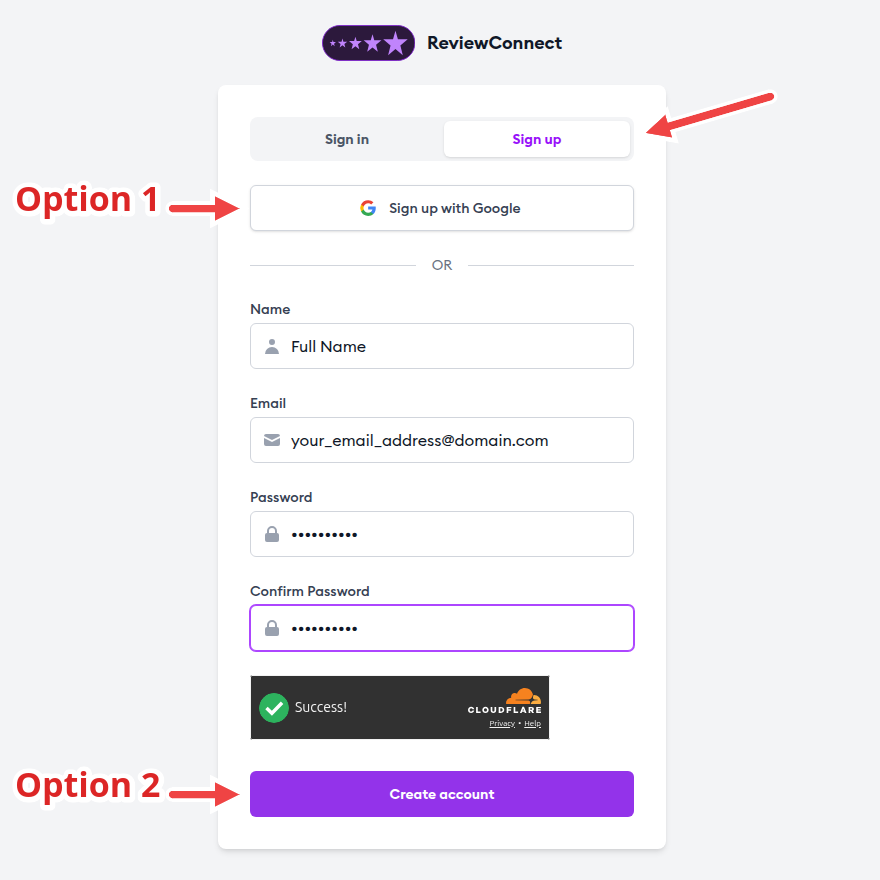
- Click Buy Google Reviews above. On the sign-in page, switch to Sign up.
- Use Sign up with Google, or enter your name, email, and password and click Create account.
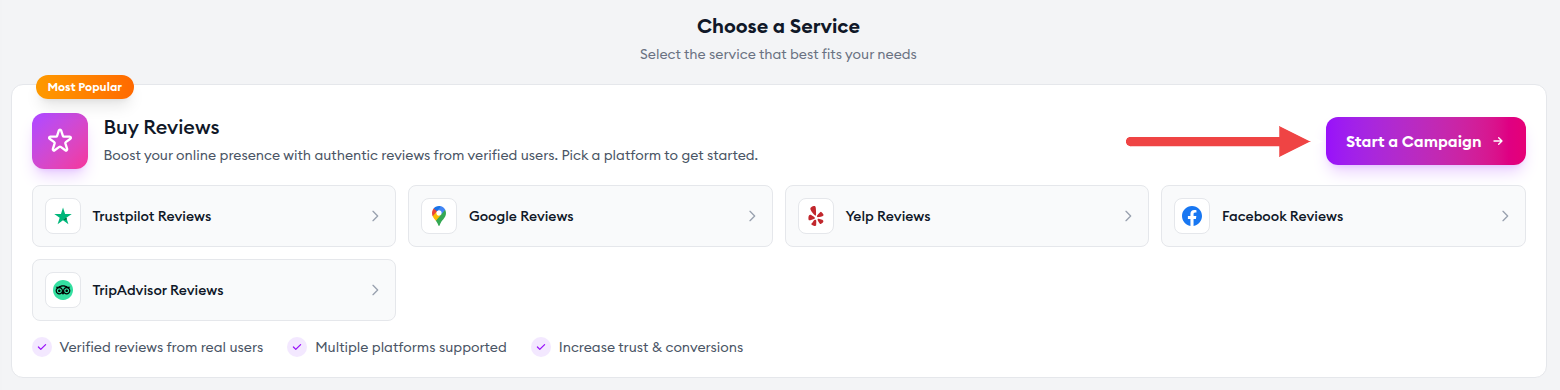
The campaign form opens straight away with Google Maps already selected. If you land on your dashboard instead, click Start a Campaign.
Step 2: Set up your campaign
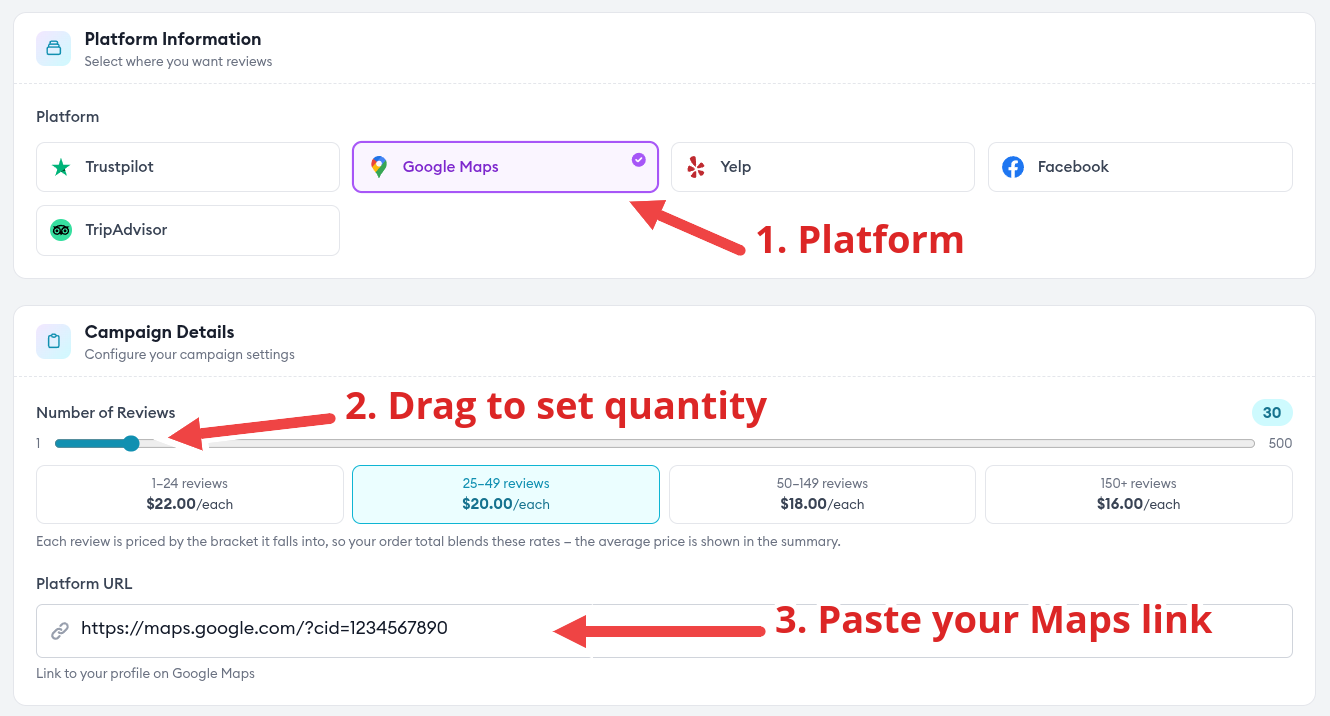
- Platform. Google Maps is already selected.
- Number of Reviews. Drag the slider to the quantity you want. The price brackets sit right under it.
- Platform URL. Paste the link to your Google Maps listing. To get it, open your business in Google Maps, click Share, and copy the link.
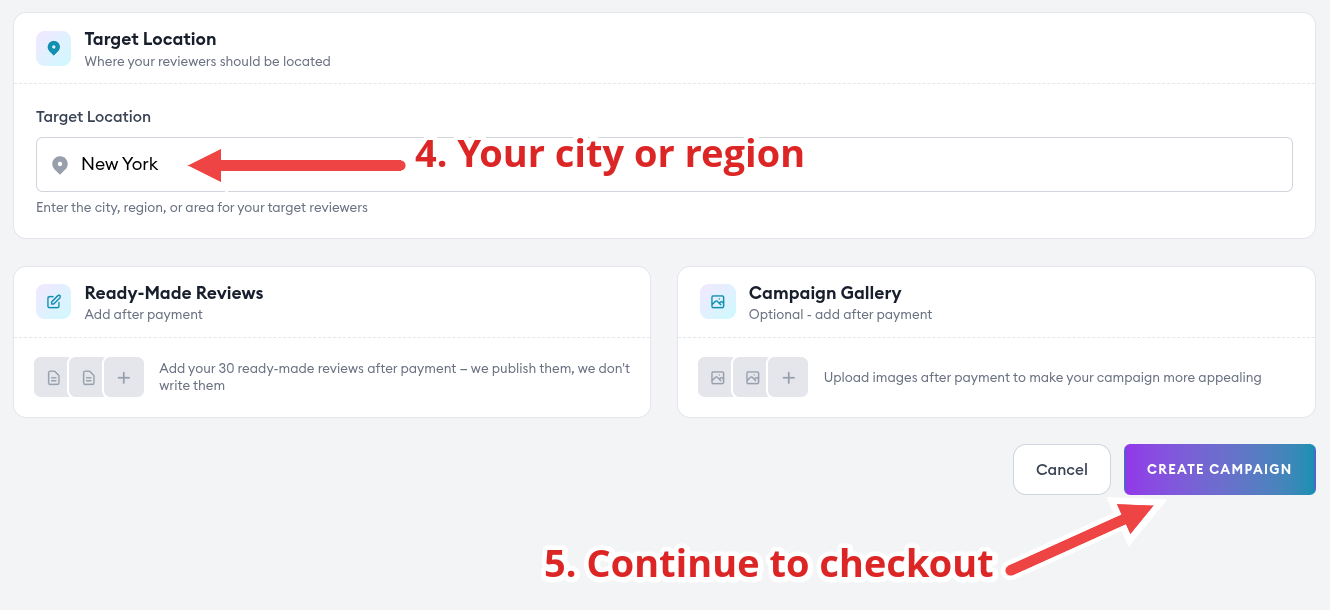
- Target Location. Enter the city or region your reviewers should come from.
- Click Create Campaign to continue to checkout.
More than one branch? Each campaign covers one listing, so create a campaign per branch and choose its quantity separately.
Step 3: Check the price and pay
The Campaign Summary next to the form shows your average price per review and your total before you commit to anything.
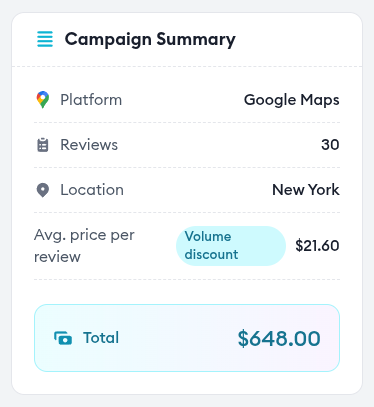
The price per review drops as the order grows:
| Reviews in your order | Price per review (USD) |
|---|---|
| 1–24 | $22.00 |
| 25–49 | $20.00 |
| 50–149 | $18.00 |
| 150+ | $16.00 |
Each review is priced by the bracket it falls into. Example order totals:
- 10 reviews
- $220.00
- 25 reviews
- $548.00
- 50 reviews
- $1,046.00
- 100 reviews
- $1,946.00
Payment options at checkout
- Visa, Mastercard, Apple Pay, Google Pay (4.0% processing fee)
- Pay with BTC, ETH, USDT, TRX & more
At checkout:
- Choose your payment method.
- Have a coupon? Open Have a coupon code? and enter it.
- Tick the terms box and click Proceed to Payment.
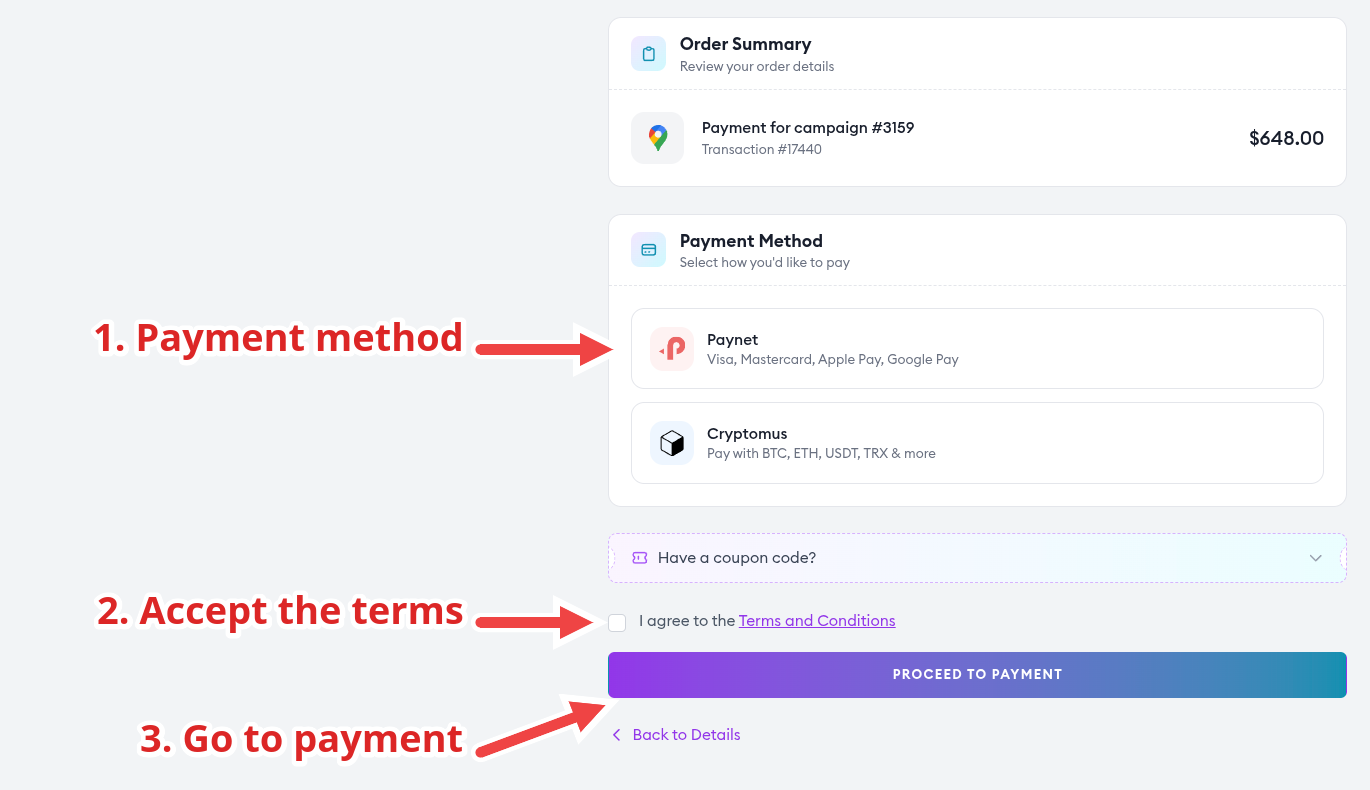
Prices are in USD. If your card uses another currency, your bank converts it automatically.
Step 4: Add your reviews
You write the reviews and our reviewers publish them word for word, so every review says exactly what you want. Open your paid campaign and go to Ready-Made Reviews:
- Pick the star rating.
- Paste the review text. On Google the text is optional, so a review can be rating-only.
- Click Add Review, then repeat for each review you ordered.
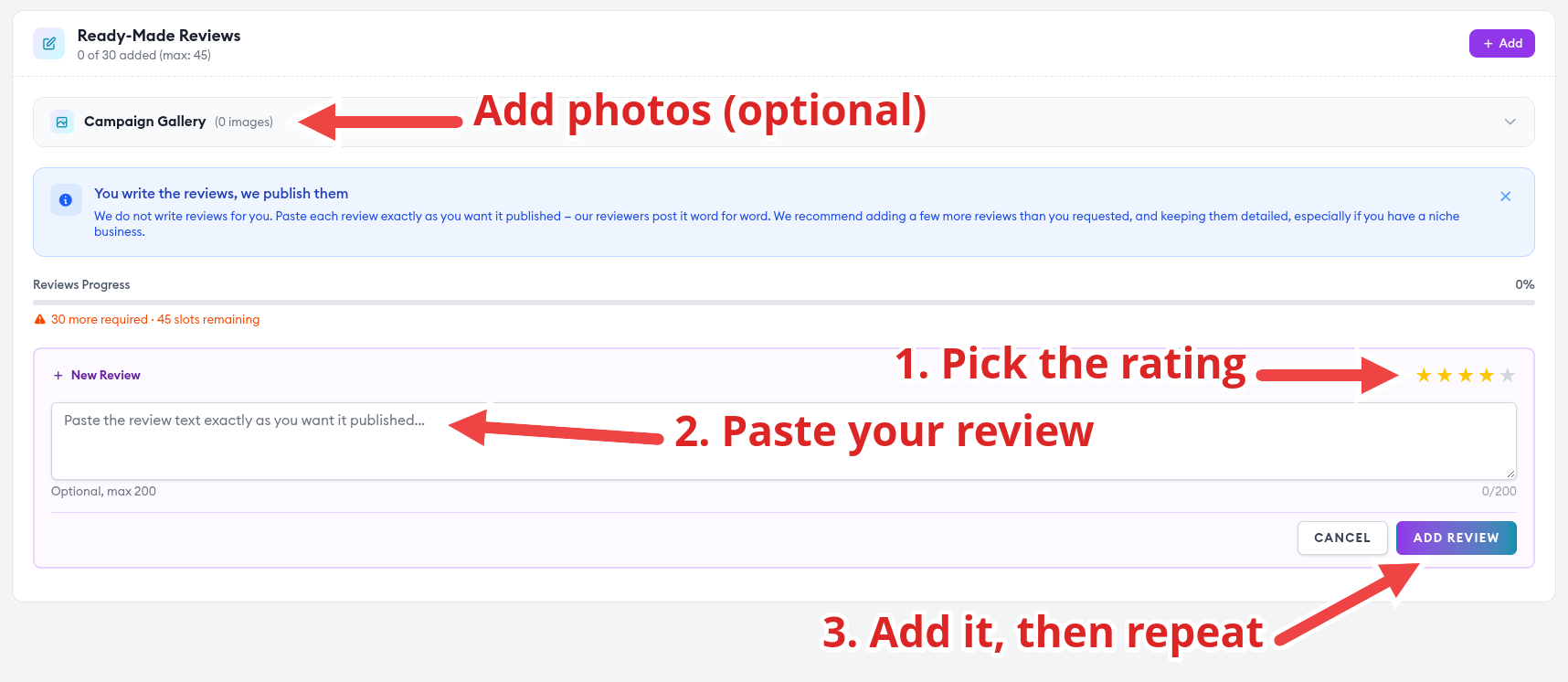
Three things make the result stronger:
- Add a few spare reviews. The form lets you add more than you ordered, and we recommend it.
- Make every review different. Vary the length, mention different services, and mix in a few 4-star ratings.
- Add photos. Upload pictures of your premises, products, or team to the Campaign Gallery and they are posted with your reviews.
Under Campaign Settings you can also leave guidance for our team and choose your review pace.
Step 5: Track delivery
Your campaign page shows the status, how many reviews are completed, and how many remain. The first review typically appears within 3–5 days, and the rest follow at your chosen pace.
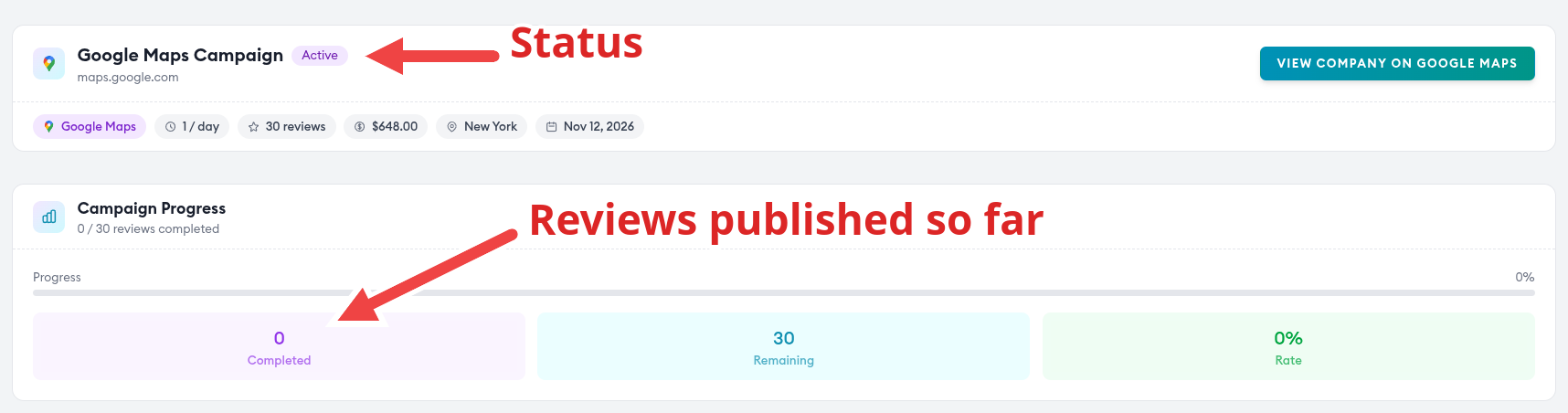
You can pause a campaign and resume it later, for example around a holiday closure.
Questions before you order
How fast will I get my reviews?
The first review typically appears within 3–5 days, and the rest are published gradually. If your first review is not delivered within 14 days of campaign approval, you can claim a full refund under the refund policy.
What if Google removes a review?
If a posted review is removed, hidden, or filtered within 90 days, we replace it free of charge. Send support your campaign and the affected review within that period. The replacement terms list the exclusions, such as a listing that is suspended or changed.
What if a review is not what I asked for?
If the star rating or text does not match what you submitted, you get one free revision per review. Email support from your account address within 48 hours of the review being posted.
Can I see the price before I pay?
Yes. Creating an account is free, the campaign form shows your total as you move the slider, and checkout shows the final amount before you confirm.
Can I order for several locations?
Yes. Create one campaign per Google Maps listing and choose each quantity separately.
$22.00 USD per review, as low as $16.00 on larger orders
- Free replacement if a review is removed within 90 days
- Full refund if your first review is not delivered within 14 days of approval
- You see the exact total before you pay